Prevent construction delays
before they happen.
The intelligent SaaS platform for Indian PMCs, contractors, and developers. Live audit trails and AI-powered schedule re-optimization to save crores in overruns.
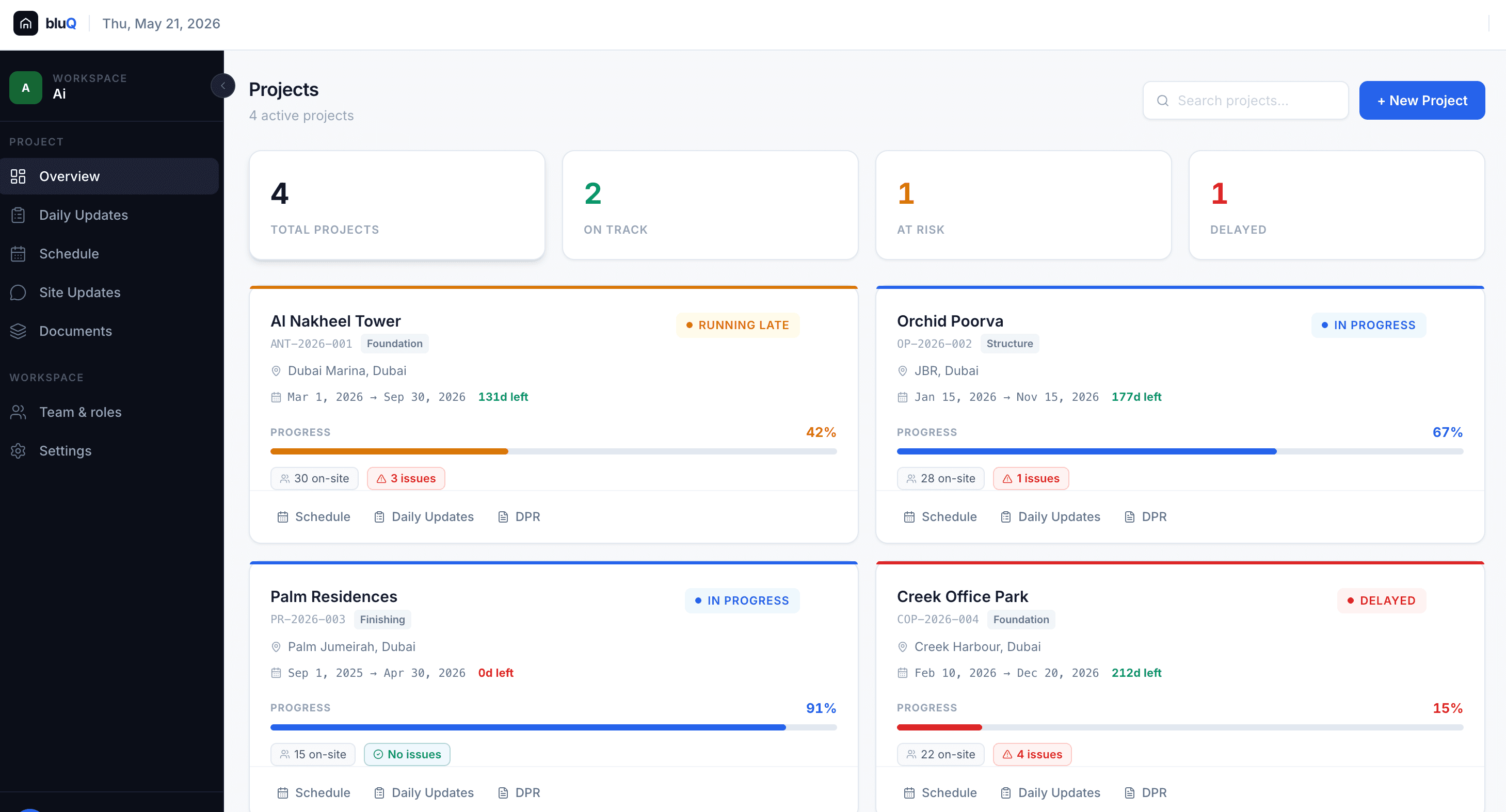
Construction delays are costing
you crores.
In the Indian construction sector, 70% of mega-projects face delays, leading to massive cost overruns. Fragmented communication and reactive planning are the culprits.
Cost Overruns
Every day of delay adds compounding interest, labor costs, and material escalation penalties to your bottom line.
Blind Spots
Weekly WhatsApp updates and Excel sheets hide the real critical path. By the time a delay is reported, it's too late to fix.
Dispute Risks
Without a single source of truth, contractors and developers spend months in arbitration arguing over who caused the delay.
Every view your team needs.
One platform.
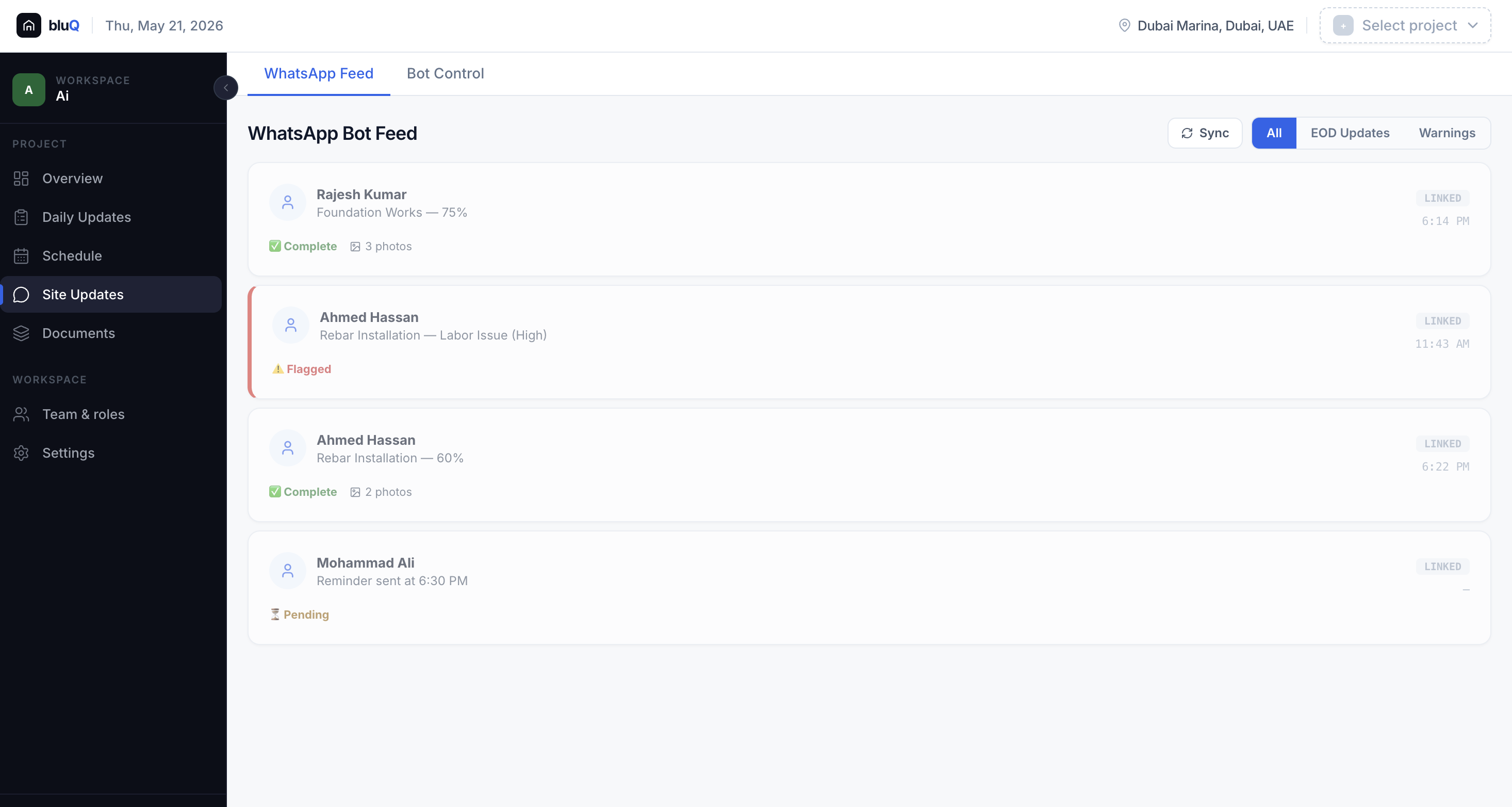
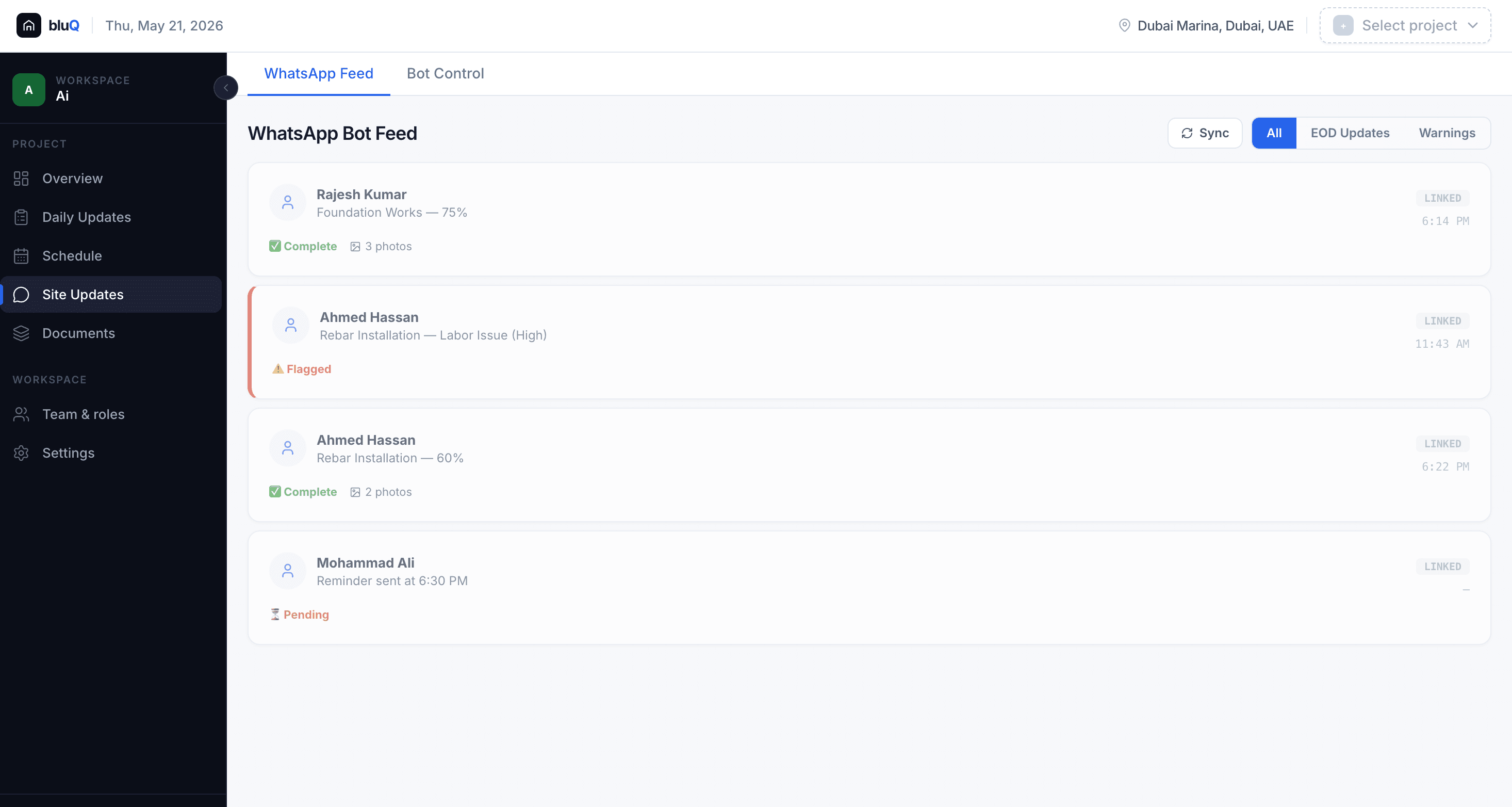
Live Daily Tracking via WhatsApp
Your site teams already use WhatsApp. BluQ's bot converts those messages into structured, geo-tagged task updates. Every completion, delay, and photo logs directly into an immutable audit trail. No new app. No new habit.
- ✓ Geo-tagged photo proof from the field
- ✓ Tasks auto-linked by zone & contractor
- ✓ Auto-flags issues, labor shortages & delays
- ✓ Automated daily progress reports (DPRs)
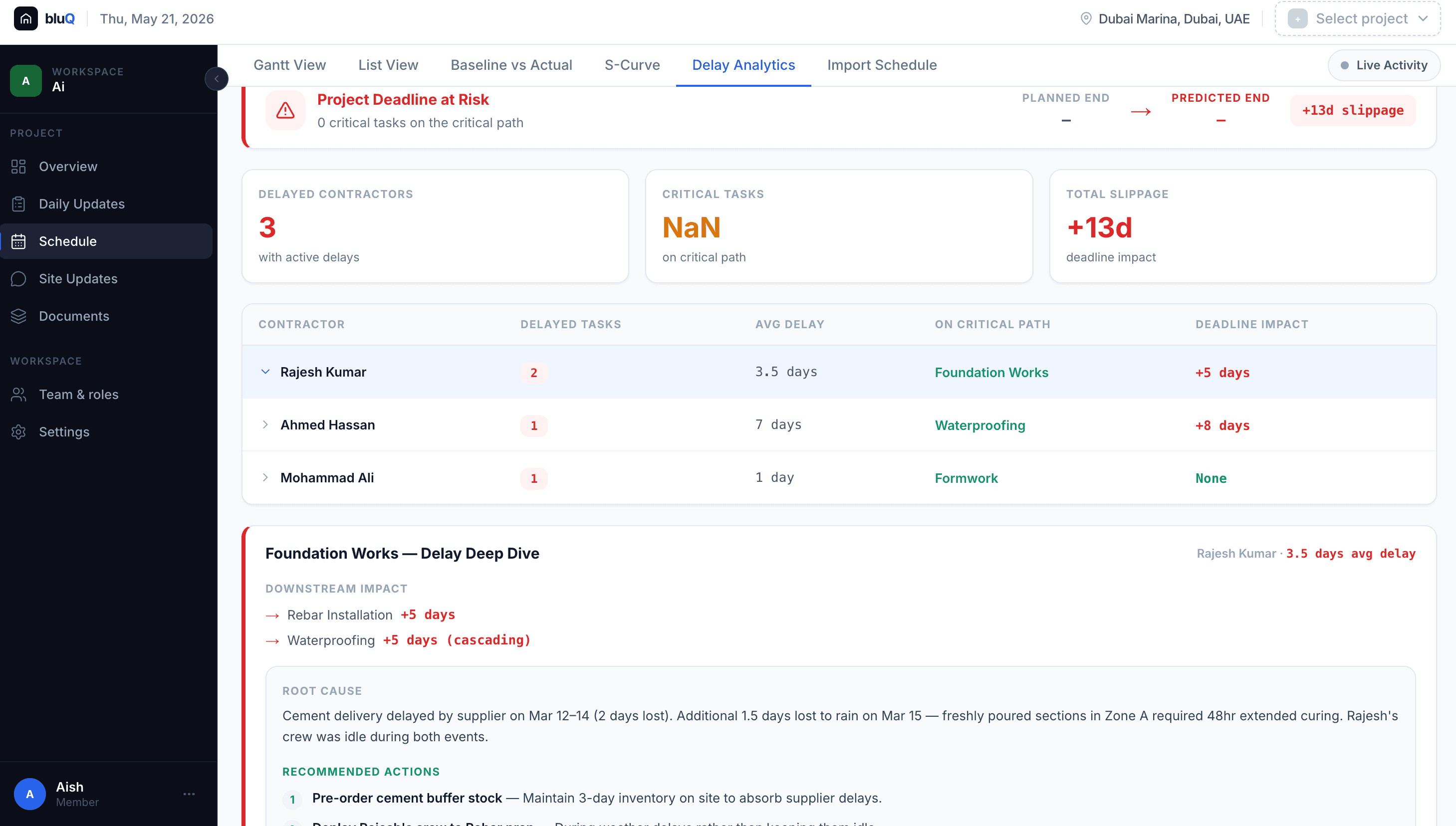
AI Delay Analytics
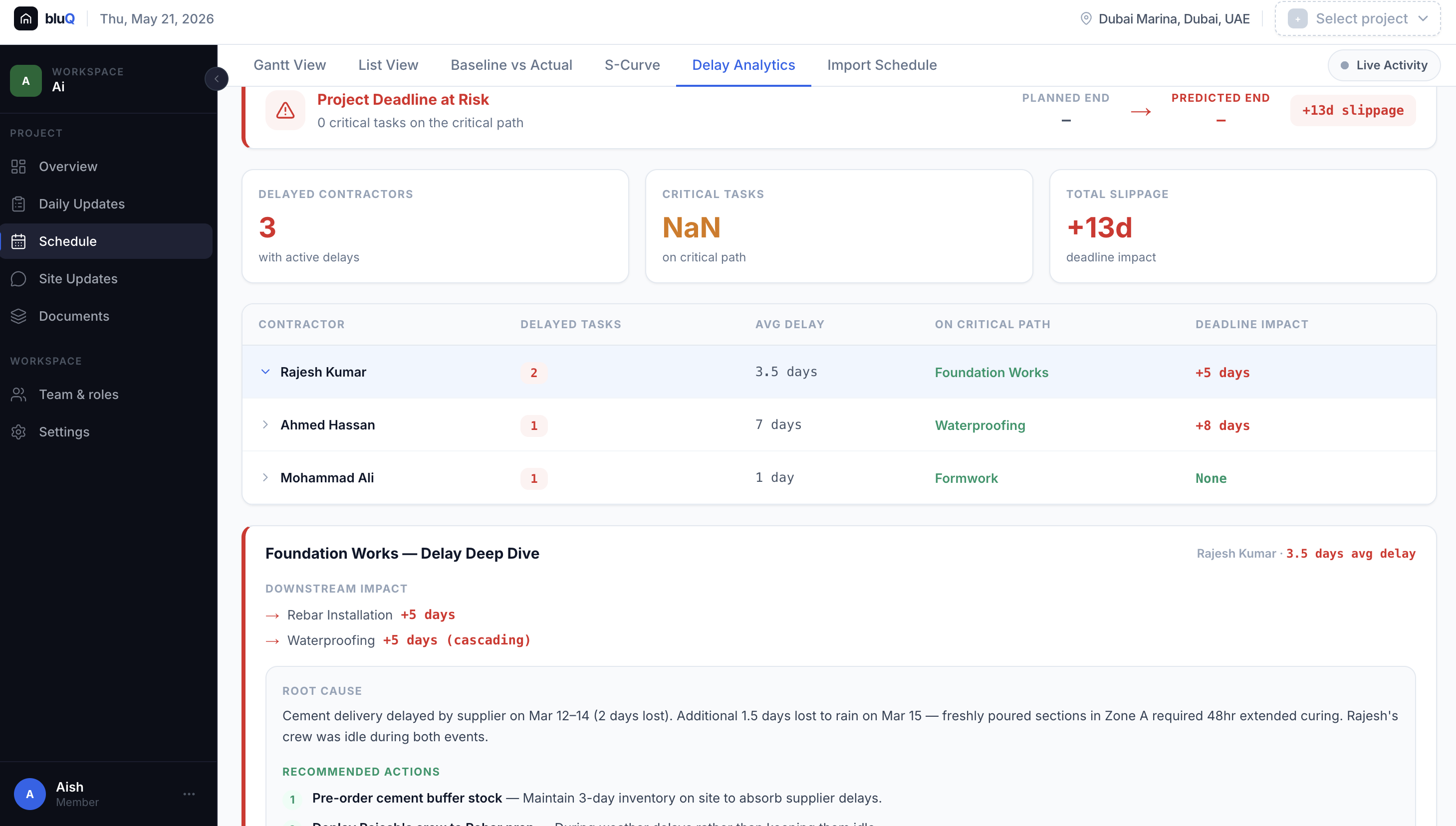
When slippage happens, bluQ instantly identifies the root cause, models downstream cascade impact, and recommends resource actions to recover time before it compounds.
- ✓ Critical path impact per contractor
- ✓ AI root cause analysis & recommendations
- ✓ MS Project & Primavera integration
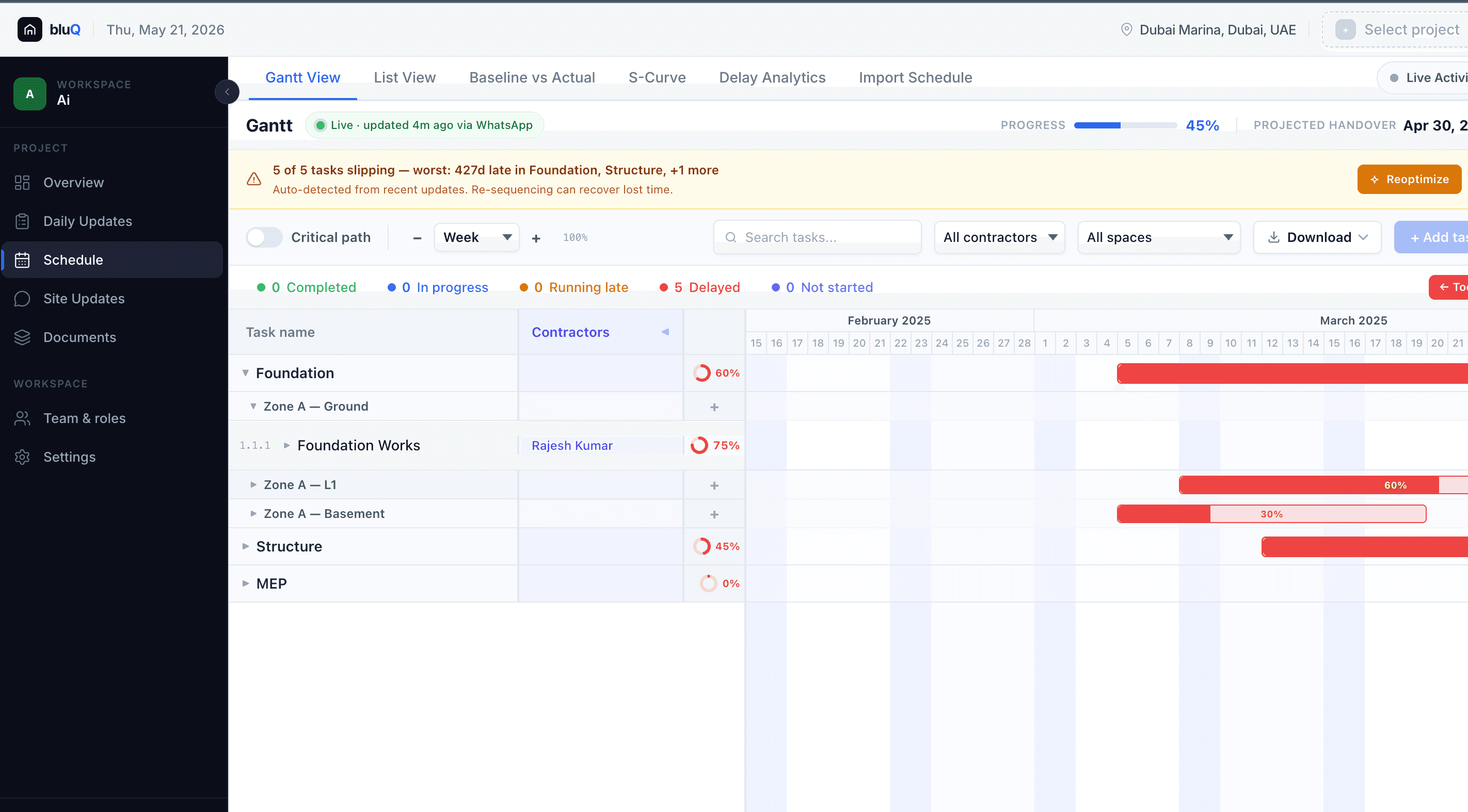
Interactive Gantt View
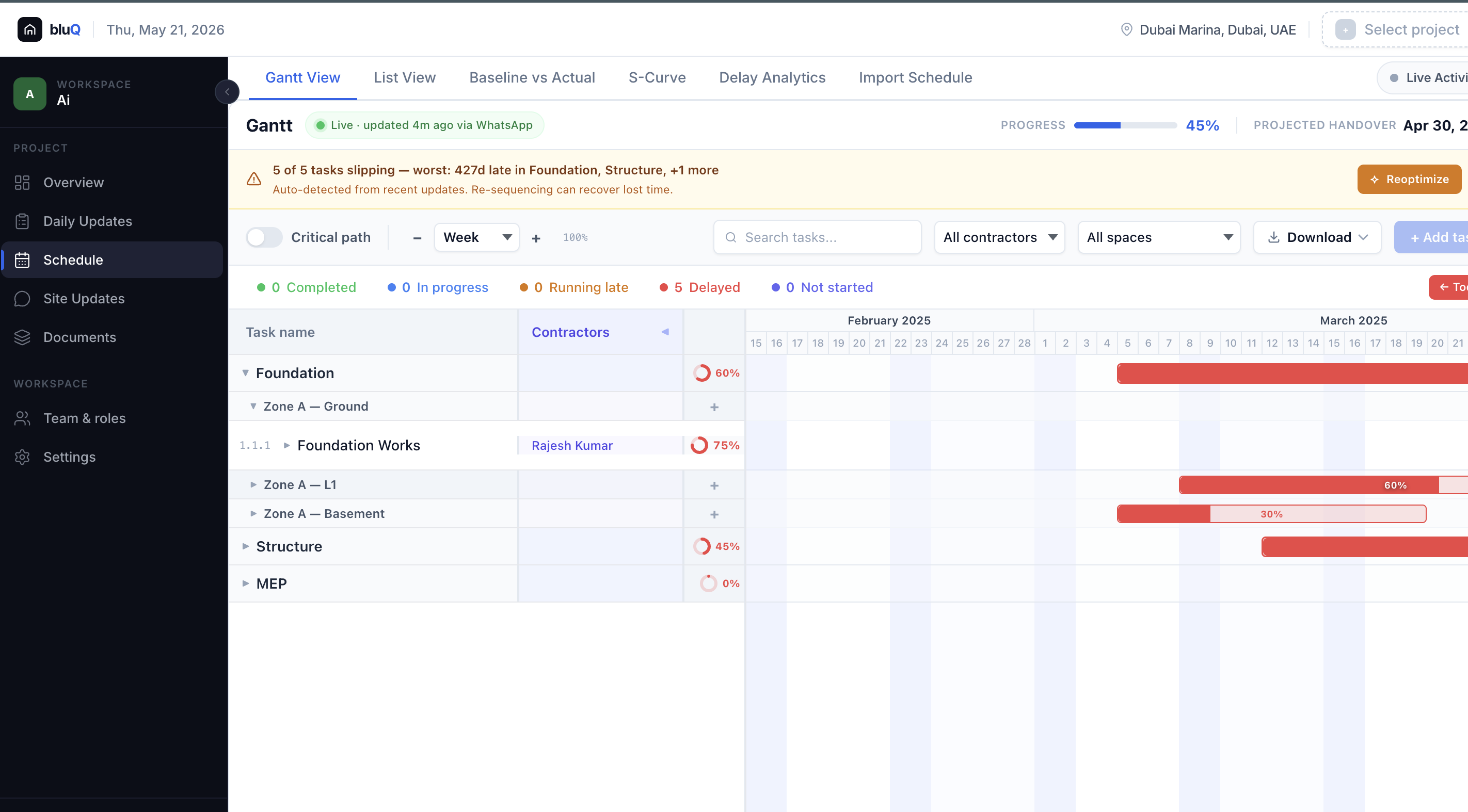
See your entire schedule on a live Gantt chart, updated in real-time from WhatsApp check-ins. Critical path slippage is auto-detected and highlighted the moment it happens.
- ✓ Live critical path with cascade impact
- ✓ Auto-detects slippage from field updates
- ✓ One-click AI Reoptimize to recover lost time
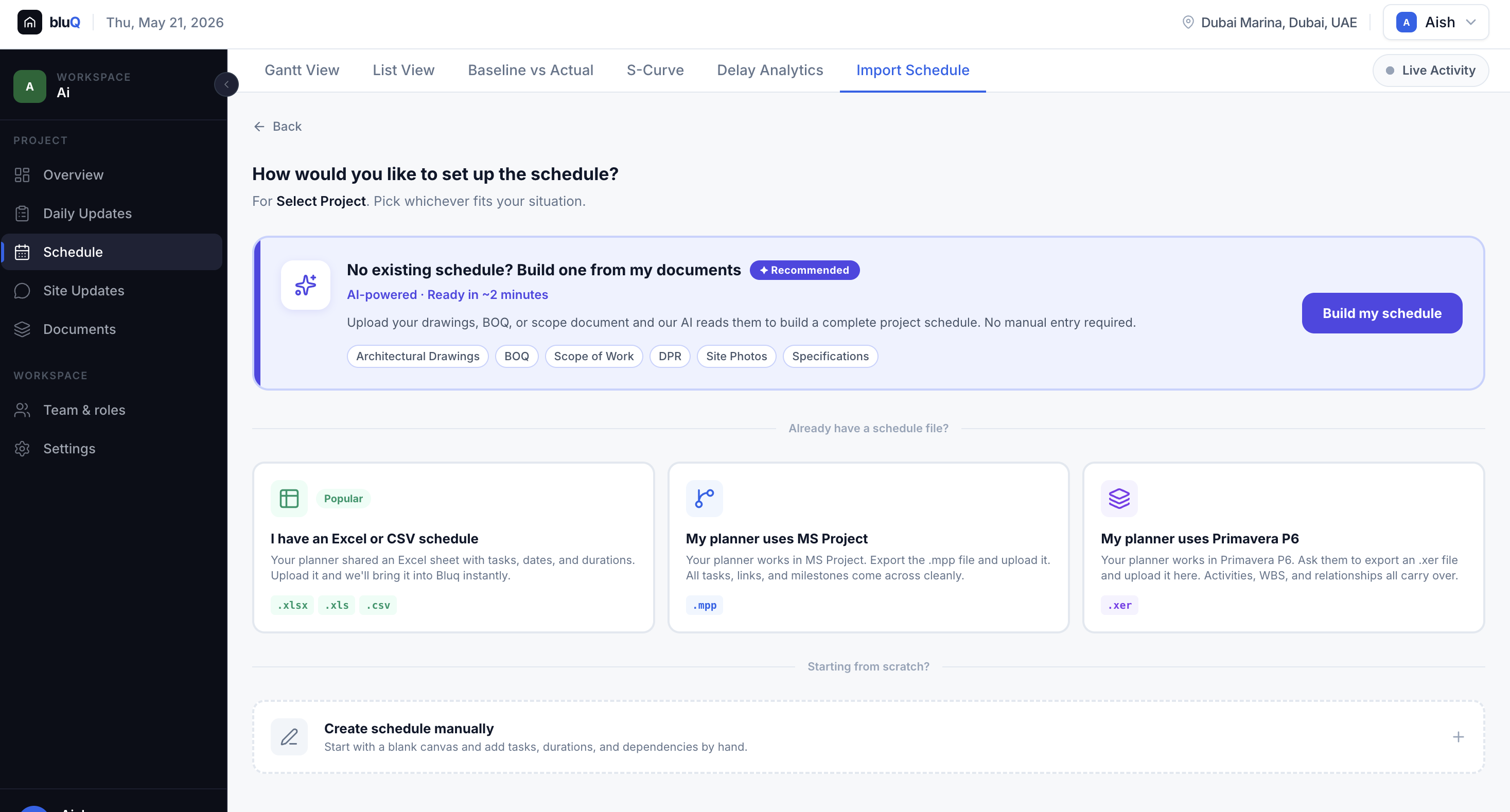
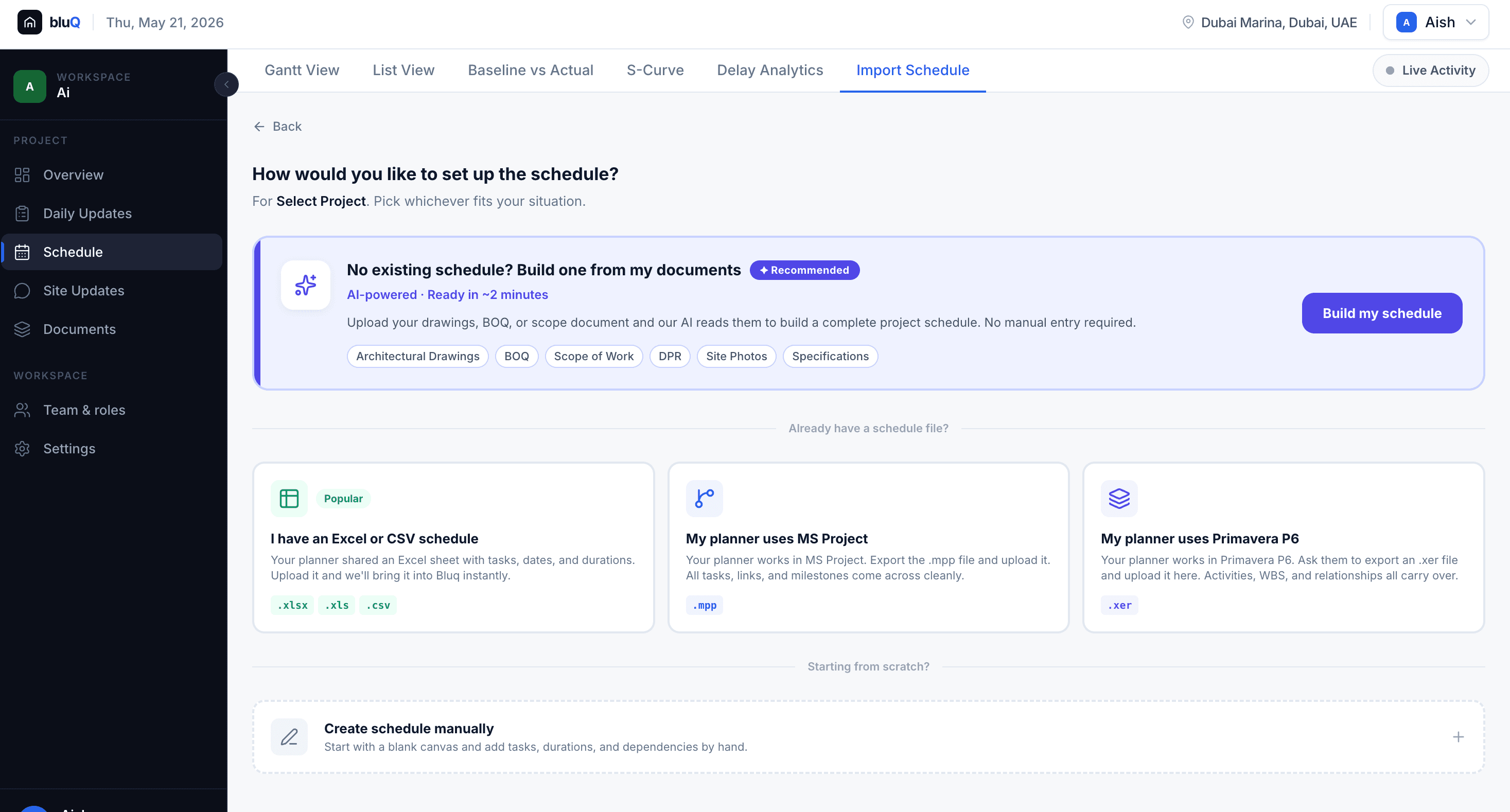
AI Schedule Import
No existing schedule? BluQ reads your drawings, BOQ, and scope documents and builds a complete project schedule in under 2 minutes. Or import from MS Project, Primavera P6, or Excel instantly.
- ✓ AI-generated from GFC drawings & BOQ
- ✓ Import .mpp, .xer, .xlsx; all relationships carry over
- ✓ Baseline versioning with change history
Your site teams already use WhatsApp. BluQ's bot converts those messages into structured, geo-tagged task updates. Every completion, delay, and photo logs directly into an immutable audit trail. No new app. No new habit.
- ✓Geo-tagged photo proof from the field
- ✓Tasks auto-linked by zone & contractor
- ✓Auto-flags issues, labor shortages & delays
- ✓Automated daily progress reports (DPRs)
When slippage happens, bluQ instantly identifies the root cause, models downstream cascade impact, and recommends resource actions to recover time before it compounds.
- ✓Critical path impact per contractor
- ✓AI root cause analysis & recommendations
- ✓MS Project & Primavera integration
See your entire schedule on a live Gantt chart, updated in real-time from WhatsApp check-ins. Critical path slippage is auto-detected and highlighted the moment it happens.
- ✓Live critical path with cascade impact
- ✓Auto-detects slippage from field updates
- ✓One-click AI Reoptimize to recover lost time
No existing schedule? BluQ reads your drawings, BOQ, and scope documents and builds a complete project schedule in under 2 minutes. Or import from MS Project, Primavera P6, or Excel instantly.
- ✓AI-generated from GFC drawings & BOQ
- ✓Import .mpp, .xer, .xlsx; all relationships carry over
- ✓Baseline versioning with change history
Built for the Indian Construction Ecosystem
A unified platform that brings developers, contractors, and PMCs onto the same page.
For PMCs
Project Management Consultants
Automate DPR validation, track contractor SLA compliance in real-time, and provide unassailable data to developers without spending hours in Excel.
For Contractors
EPC & Sub-contractors
Protect your margins. Log delays caused by external factors instantly, secure faster billing approvals with geo-tagged proof, and optimize daily labor allocation.
For Developers
Real Estate & Infrastructure
Get a bird's-eye view of your entire portfolio. Identify systemic bottlenecks, forecast cash flows accurately, and ensure RERA compliance effortlessly.
Stop managing delays.
Start preventing them.
Bring one of your own project files. We'll show you exactly what BluQ would have caught and what it would have saved.